
Thursday, 14 December 2017

Monday, 11 December 2017
Change of Ancillary Task
I'm changing my task from a radio trailer to a magazine article.


RADIO TRAILER --> MAGAZINE ARTICLE
After seeing ex-student Tom Joyce's ancillary task where he created a double page spread for his film. 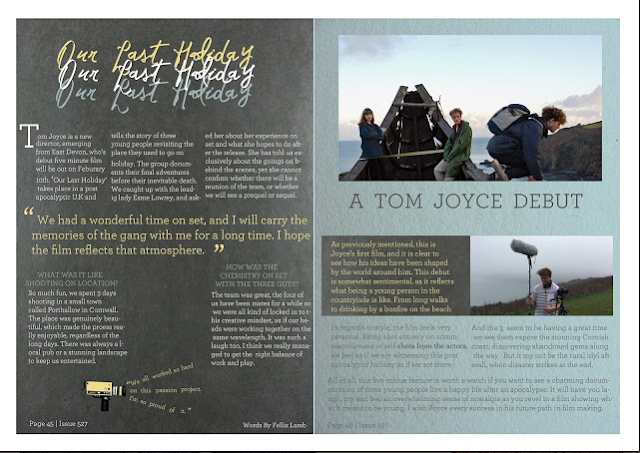

I think it's really cool what can be done with the double page spread and this is something I will definitely draw inspiration from due to it's quirkiness and professional look.
Other professional magazine articles look this this:


From these images and other research I've recognised a few conventions of these magazine spreads:
- There is a main image of the film that can go across both sides of paper and is the main centre piece of the article.
- There is text that discusses the film.
- There are other secondary images that are smaller.
- There can be quotes that are highlighted, and other interesting information that readers' eyes are drawn to.
Friday, 8 December 2017
3rd Draft of Poster
 |
| I find myself doing constant drafts because I love graphic design! |
For my third draft of my poster I decided to gain some audience feedback to see if my overall idea is working.
I asked Rui (left) and Aiden (right) for any advice on my poster and they offered their personal opinion in my 3rd draft:

Before I remove the pop-ups I will consult more advice as personally I like them, however I don't mind removing them if a majority of my audience doesn't like them. I will also take my own photos for the next draft which should remove the awkward lighting on the main images.
Tuesday, 5 December 2017
2nd Draft of Poster

With this draft I experimented with the warning pop-ups, and how they show infomation that follows the conventions of a professional film poster. I feel like this method of showing the information is more effective than my previous attempt.
Wednesday, 29 November 2017
First Attempt at Stabilising
From this comparison it is clear that my first attempt at stabilising has been ineffective. I will have another go at stabilising the video using After Effects, but before I do, I will research how to do it more thoroughly so make sure I didn't miss any steps and so I can refine my mistakes.
Monday, 27 November 2017
Learning to Stabilize
From the audience feedback from the first draft, one of the most apparent problems was the shakiness of some of the clips, and so I will stabilise the footage to see what effect it has on the piece before the 'final first draft'.
Using Premiere Pro, I could usually use a tool called 'Warp Stabiliser', however, the schools version of Premiere Pro is CS4, which doesn't have this feature.

Instead, I'm going to start learning the basics of After Effects as I try to add this effect. This is from an Adobe forums, where someone has the same issue as me: owning CS4 and so no tool. Taverino says that it crops the clip which may have negative effects on the film, however I will give it a go and then clarify with my team if they wish to keep this.
To learn how to do this I am looking at the Adobe Forums and Youtube videos


Using Premiere Pro, I could usually use a tool called 'Warp Stabiliser', however, the schools version of Premiere Pro is CS4, which doesn't have this feature.

To learn how to do this I am looking at the Adobe Forums and Youtube videos

This was a good opportunity to get to grips with Adobe After Effects, which will allow me to develop my editing skills and add special effects that I couldn't do on Premiere.


I chose the longest and shakiest clip to see just how effective the stabilising is, and to see if I should apply it to our whole film.

To compare the stabilisation vs stabilised I have created a side-by-side comparison, with one side being the basic clips, and the right side being the clips with the added colour correction so see how it would look in our actual film.
Friday, 24 November 2017

Sunday, 19 November 2017
Initial Ideas for my Ancillary Tasks: Radio Trailer
WHATS IN A RADIO TRAILER?
I'm drawing inspiration from the War Of The World's radio play, where they pretend that the broadcast is a real life event and national emergency. With a central focus on how technology consumes us and controls our lives in the short film, I plan to convey a similar idea in the radio trailer.
I may begin the trailer with a fake government announcement, or voice directing the listeners to listen to the broadcast, with a high pitch sound drawing their attention. This relates to the idea that technology consumes us as the listeners will hopefully pay attention to this odd broadcast. I hope to clip together different voices, piecing together sentences, so that it mimics the idea of loads of different TV shows and videos making the message, relating back to all the media we consume.
As for the actual message and script, I am still planning that. I hope to get my first draft for this ancillary by December.
- Radio trailers contain informative facts about the film. ie whos in it, when it's released, to inform the listener.
 - There should be more than one voice, not just the narrators.
- They also provide a synopsis of the film, briefly telling the outline of the plot.
- The genre should be explicitly clear, this can be revealed by what is said, and how. ie an action film will use a narrator with a deep voice who describes how the protagonist is going to save the day.
- There are clips from the actors' voices as certain quotes from the movie are actually heard (like in normal trailers).
- They last around 30seconds and should entertain the listener, as well as being rememberable.
- Sound effects are key to intrigue the listener, and help them imagine what is being described.
 - There should be more than one voice, not just the narrators.
POTENTIAL IDEA
I have already chosen the main narrator for the trailer. Jacob has a deep voice and is a good singer, so he is comfortable with his voice being heard and also is good at manipulating it.
I have already chosen the main narrator for the trailer. Jacob has a deep voice and is a good singer, so he is comfortable with his voice being heard and also is good at manipulating it.
I'm drawing inspiration from the War Of The World's radio play, where they pretend that the broadcast is a real life event and national emergency. With a central focus on how technology consumes us and controls our lives in the short film, I plan to convey a similar idea in the radio trailer.
I may begin the trailer with a fake government announcement, or voice directing the listeners to listen to the broadcast, with a high pitch sound drawing their attention. This relates to the idea that technology consumes us as the listeners will hopefully pay attention to this odd broadcast. I hope to clip together different voices, piecing together sentences, so that it mimics the idea of loads of different TV shows and videos making the message, relating back to all the media we consume.
As for the actual message and script, I am still planning that. I hope to get my first draft for this ancillary by December.
Friday, 17 November 2017
How to Create a Light Effect on Text

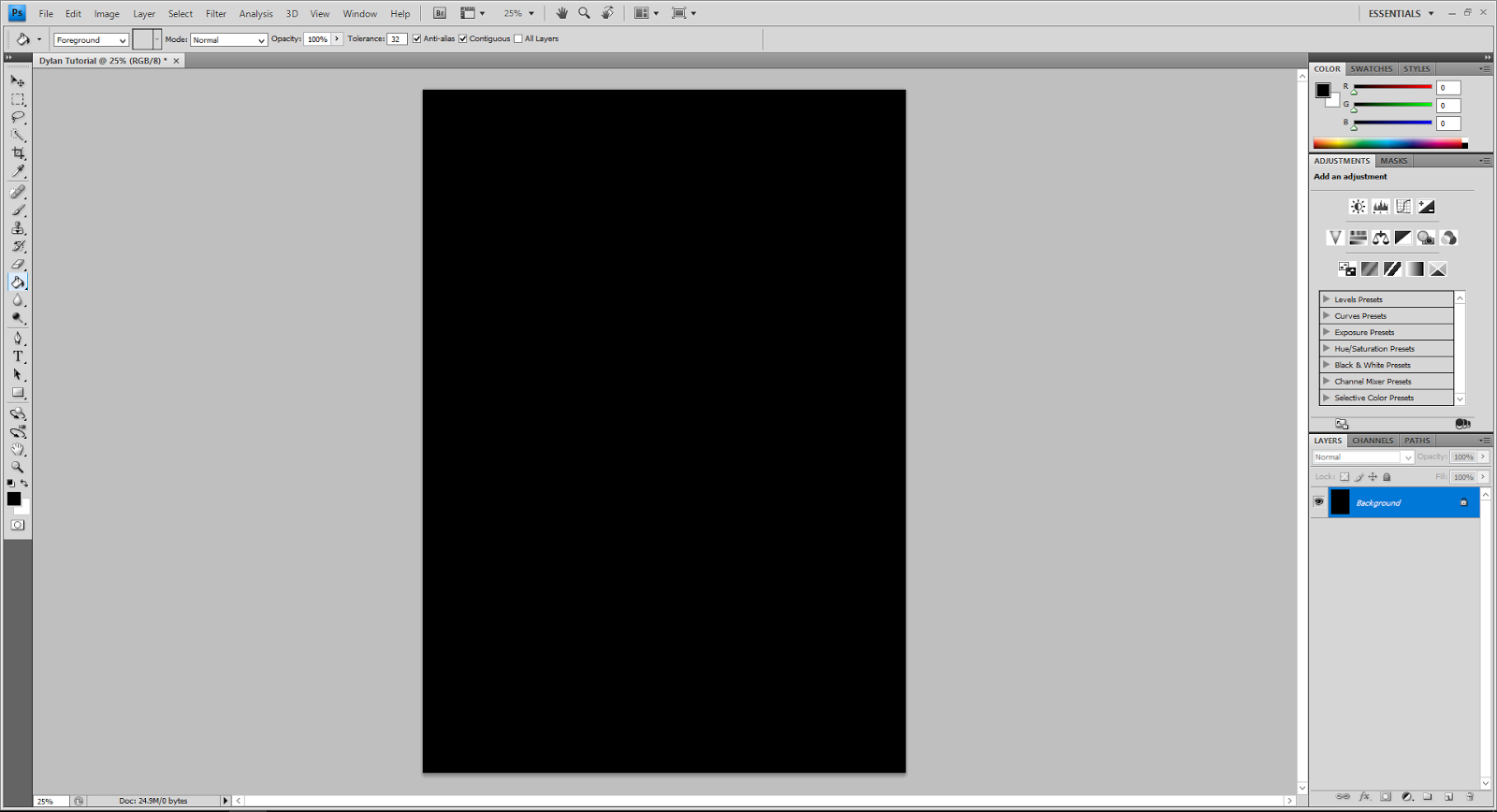
1. Open up a new Photoshop page with an A4 canvas (if creating a poster).
2. Fill the background in black
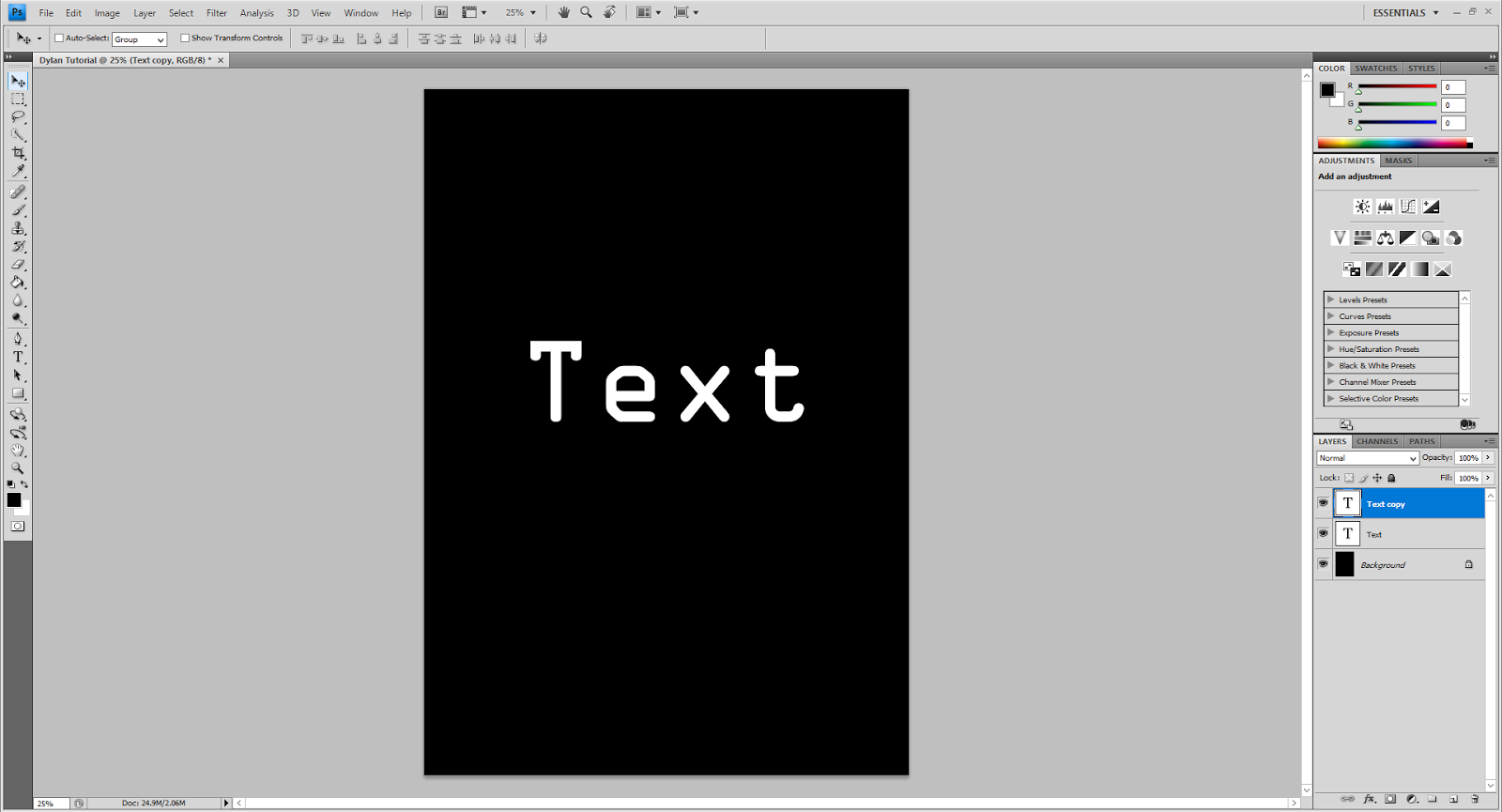
3. Create some text by pressing 'T' on the keyboard (shortcut to the text tool) then type the title in a white font.
4. Duplicate the layer by pressing 'Ctrl' + 'J' (CMD + J).

6. After adding the blur once, press 'Ctrl' + 'Alt' + 'F' (CMD + Ctrl + F) to reapply the blur, repeat this numerous times until happy with the glow of the text.

7. Add another blur, found in the same place as 'Radial Blur' called 'Gaussian Blur'. Add a radius of around 0.6.
8. Now add this same blur to the first layer of text that hasn't been rasterized yet.

9. Create a new layer on top of both text layers and fill it in black.
10. Select this layer and add a 'Lense Flare'. To do this select 'Filter' > 'Render' > 'Lense Flare' and select the 105mm. The brightness is up to you! Make sure that you position the flare at the same place where the text positioned.
11. Select the layer again, and change the blending option to 'Screen'. The blending option is found just above where you select the layer.
12. Create another new layer on top of both the text layers and lense flare, then colour it with the intended colour of the light. In the case of my poster it is blue, in this tutorial I am using red.
13. Select the blending option for this layer to be 'Overlay' then change the opacity (found in the same area as where you select the layer) until you are happy with the colour.

Clear up the smaller light bits with a black paint tool if you wish, or just cover them with images!
Inspirations & Ideas for Ancillary Tasks: Poster
After researching the most important parts to an effective film poster on
https://www.webdesignerdepot.com/2011/02/7-elements-of-a-great-movie-poster-design/
And identifying the different aspects that make up a poster, such as a title, main image etc. I have looked at specific film posters that I wish to draw inspiration from and have made my very first, rough draft of what my poster may look like.
https://www.webdesignerdepot.com/2011/02/7-elements-of-a-great-movie-poster-design/
And identifying the different aspects that make up a poster, such as a title, main image etc. I have looked at specific film posters that I wish to draw inspiration from and have made my very first, rough draft of what my poster may look like.
This prezi also contains the first draft for my poster.
Subscribe to:
Posts (Atom)